
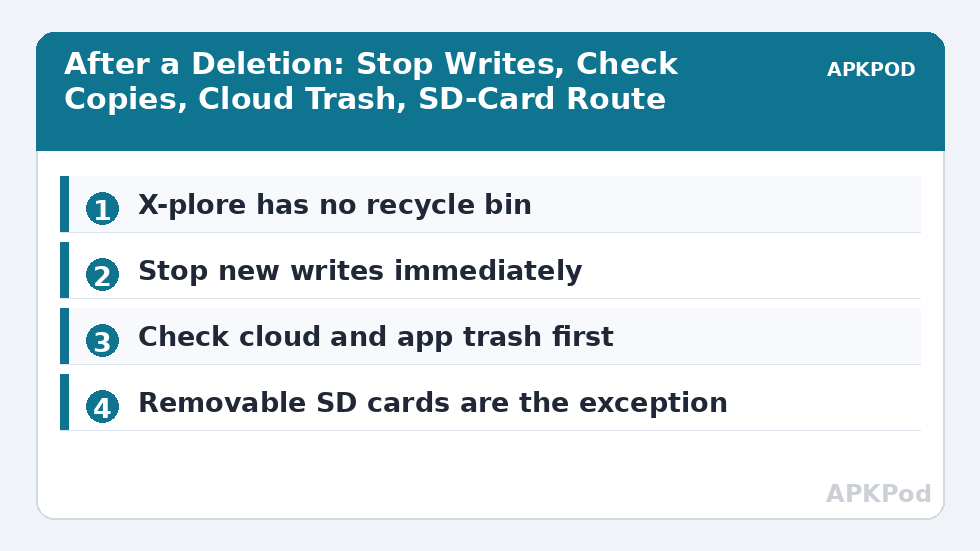
Here is the sentence this article will not soften: X-plore has no recycle bin, no trash folder and no undo for deletion, and on a modern Android phone a file deleted in X-plore is, in the overwhelming majority of cases, gone. Not hidden, not held for thirty days, not waiting behind a setting. The delete command removes the file’s entry and frees its space, and Android’s storage encryption and modern flash behaviour make casual recovery tools far less effective than old computer advice suggests. Anyone who has just deleted something important deserves that truth first, and the narrow exceptions second, in that order.
What follows is therefore a triage guide, not a resurrection promise. It covers what to do in the first minutes if the file mattered, which situations genuinely leave a door open — copies elsewhere, cloud sync behaviour, and removable SD cards handled on a computer — and which offers of help are scams or wasted hope. It ends with prevention, because the only reliable recovery system is the backup you made before the accident.
Other APKPod guides are collected on the APKPod homepage. Read this one fully before installing anything that promises recovery, because the act of installing and storing new data can itself overwrite what little may remain.
The First Ten Minutes: Stop Making It Worse
Put the phone down in the right way. Stop using the device for anything that writes data: do not take photos, download files, install recovery apps, update apps or let a messaging app flood in new media. Switch on aeroplane mode if the phone keeps syncing and downloading. Every new write competes for the freed space where your file’s remains may sit. If the deleted file lived on a removable SD card rather than internal storage, power the phone down and remove the card — that case is the one genuine exception discussed below, and protecting the card from further writes is the most useful thing you can do.
First, Check Whether It Was Really the Only Copy
- Cloud trash: if the folder synced to a cloud service, check that service’s own deleted-items or trash area in its app or website, where files are often held for a limited period.
- App trash: gallery and some media or office apps keep their own recently deleted areas for files deleted inside those apps.
- Another device: a synced photo, note or document may survive on a tablet, computer or the sender’s phone, untouched by your deletion.
- The original source: downloads can be fetched again, email attachments still sit in the message, and chat media may be re-downloadable from the conversation while it remains there.
- X-plore copies: check anywhere you previously copied the file — an archive folder, an SD card, a ZIP — using our criteria search guide to hunt by name, size and date.
Internal Storage: Why Recovery Is Mostly a Dead End
Older Android advice imagined storage as a filing cabinet where a deleted file lingered until overwritten. Modern phones encrypt storage by default and manage flash memory in ways that actively erase freed blocks, so the cabinet model fails. Recovery apps that promise to scan internal storage without root typically surface thumbnails, cached previews and files that were never deleted, dressed up as rescues. Rooted deep-scanning tools exist, but they demand expertise, may require changes that themselves write data, and still return fragments at best. For a typical user with a typical phone, treating internal-storage deletion as final is not pessimism. It is the accurate planning assumption.
| Deleted from | Realistic outlook | Sensible action |
|---|---|---|
| Internal storage, no sync or copy | Recovery is very unlikely | Stop writes, check sources, accept and rebuild |
| Synced cloud folder | Often recoverable for a limited time | Check the service’s trash promptly |
| Removable SD card | Sometimes recoverable on a computer | Remove the card, write-protect, scan read-only |
| App-managed media | Depends on the app’s own trash | Check the app’s recently deleted area first |
The SD Card Exception, With Its Caveats
A removable card can be taken out, attached to a computer, and scanned by reputable desktop recovery software in read-only fashion, because a computer can examine the card’s filesystem without Android writing to it. Success still depends on the card’s format, whether new data has landed since, and how the deletion interacted with the filesystem. Cards formatted as adopted internal storage are encrypted to the phone and do not offer this route. Never run a scan that writes recovered files back onto the same card; recover to the computer’s drive. And be honest with yourself about odds that fall with every hour the card stayed in use.
Bottleneck:
Tip:
All figures are estimates under good local conditions — strong signal, no competing traffic, both devices on the same network. Real speeds drop with distance, walls, channel congestion and slow storage on either device. Protocol options (SMB, FTP, SFTP) assume a 5 GHz-class Wi-Fi link.
Scams and False Friends
Any app or website that guarantees recovery of a named file from internal storage, asks for payment before showing a real preview, or wants your account credentials is selling hope, not software. So is any guide that tells you to install a string of tools onto the same phone — each install writes data and reduces the already slim chances it claims to raise. The reputable path is narrow: copies, cloud trash, app trash, and a read-only computer scan of a removable card. Outside those paths, spend your effort rebuilding the file or asking its sender for another copy.
Prevention That Actually Works
Build the safety net while nothing is wrong. Keep irreplaceable folders copied to a second location on a schedule you can keep — an SD card routine using the safe internal-to-SD method, a computer folder, or a cloud service with a trash period you understand. A monthly look with Disk Map also shows whether your backup folders are actually growing as expected. In X-plore itself, slow down at the delete confirmation: read the names, read the count, and for bulk deletions, copy the selection to a dated holding folder first and delete a week later, the same quarantine instinct used in duplicate hunting. Deletion day and decision day should rarely be the same day for anything that matters.
Finally, teach the household the sentence from the top of this article. A family that knows there is no recycle bin backs up its photos. A family that believes deleted files float somewhere recoverable learns otherwise exactly once, the hard way.
What About Files Deleted Long Ago?
Time is the harshest variable in this subject. A file deleted minutes ago on a quietly used device sits at the most favourable end of an already poor outlook; a file deleted weeks ago on a busy phone has been joined by system updates, thousands of messages, new photos, app caches and the ordinary churn of a working device, any of which may have used its freed space. For internal storage on a modern phone, the practical answer does not improve with more searching: if the copies, cloud trash and app trash checks found nothing, a long-ago deletion should be treated as final and the file rebuilt, re-requested or re-created.
That conclusion, reached early, frees real time. People lose evenings to recovery forums when the sender could have re-sent the document in a minute, the form could have been downloaded again, or the photo existed in a relative’s copy of the same day. Ask the human sources first. Pride about solving it technically is expensive, and the file does not care which route brought it home.
If the loss involved documents with legal, work or sentimental weight, also check email threads, printed copies and backups made for other purposes, such as a phone migration folder on a computer. Files travel further in ordinary life than we remember, and a calm inventory of where a copy might reasonably live is the last genuinely productive search.
Frequently Asked Questions
Does X-plore have a recycle bin or trash folder?
No. X-plore does not keep deleted files in a recycle bin, and Android shared storage provides no general undo for deletion. Treat the delete confirmation as the final step and read the names and count before confirming.
I just deleted an important file. What should I do first?
Stop writing new data to the device: pause downloads, photos and app installs, and consider aeroplane mode. Then check for other copies — cloud trash, the source app’s recently deleted area, another synced device, or the original message or download source.
Can recovery apps restore files deleted from internal storage?
On modern encrypted Android phones, usually not in any meaningful way. Such apps typically surface thumbnails and cached previews. Rooted deep scanning is an expert route with poor odds and should never be presented as a promise.
A file deleted from my SD card — is that different?
It can be. Remove the card promptly, attach it to a computer, and use reputable desktop recovery software that scans read-only and saves recovered files to the computer. Cards formatted as adopted storage are encrypted to the phone and do not offer this route.
How do I protect myself against accidental deletion in future?
Keep copies of irreplaceable folders in a second location, understand your cloud service’s trash period, and for bulk deletions move files to a dated holding folder first and delete them a week later once nothing has been missed.