Duplicate files rarely announce themselves. They accumulate quietly: a photo saved from a chat and also kept in the camera folder, a PDF downloaded three times because the first download seemed to vanish, a song copied into two music libraries during two different tidy-ups. Each copy may be small. Together they waste space, confuse backups and make you unsure which version is safe to delete. Hunting them is detective work, and X-plore gives you two complementary tools for it: criteria search for suspects, and Disk Map for scale.
Be clear about what X-plore does not do. It does not offer a guaranteed one-tap duplicate finder that proves two files identical by content. Names, sizes and dates are strong clues, not proof. Two files with the same name and size are probably duplicates; two files with the same name and different sizes are definitely not identical, whatever they claim to be. Your judgement is the final step, which is why this method works in passes and never deletes on the first sighting.
Begin from the APKPod homepage if you want the wider clean-up context, and keep our search by size, extension and date guide beside this one, because that search grammar is the engine of the first pass.
Pass One: Use Disk Map to Find Where Weight Lives
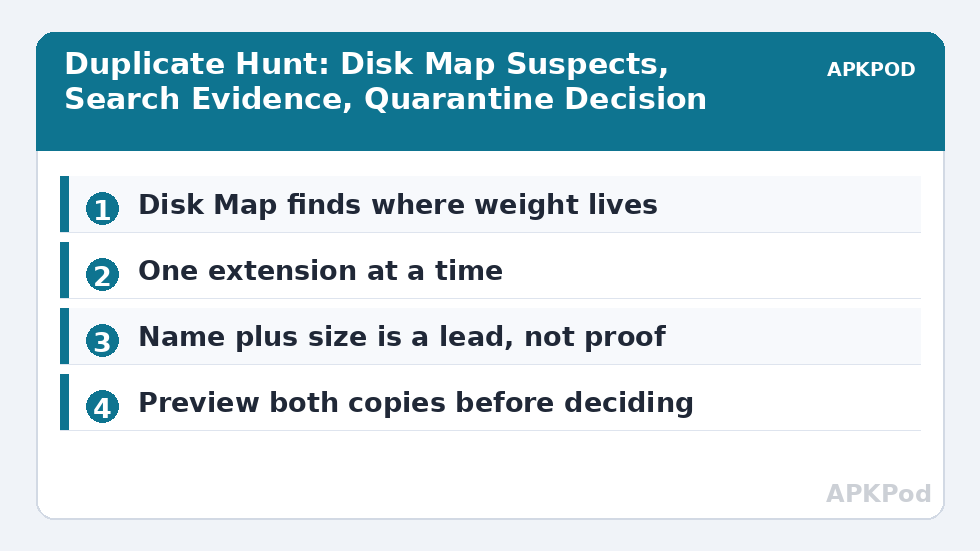
Open Disk Map for internal storage or for a suspicious folder and look for branches that are heavier than their job justifies. A messaging media folder rivalling your camera folder is a lead. A Downloads folder with a fat slab of repeated installers is another. Disk Map cannot name duplicates, but it tells you where an hour of hunting will actually recover space, instead of polishing folders that were never the problem. The reading method in our Disk Map guide — big blocks first, then descend — is exactly the right opening move.
Write Down Suspects Before You Search
Note two or three suspect categories rather than launching a device-wide trawl: repeated videos, downloaded PDFs, music copied between folders, or photos that exist in both a camera folder and a chat folder. A named suspect list keeps the session finite. Storage work expands to fill the afternoon if you let it; a list keeps it to a cup of tea.
Pass Two: Search One Extension and One Size Band at a Time
Search from the narrowest sensible root. Looking for duplicate videos? Search the device storage for the relevant extension and then sort the results by size. Identical sizes sitting side by side are your prime suspects. Looking for repeated documents? Search for PDFs in Downloads and any document archive, sort by name, and repeated names with repeated sizes will stand out. Worked one extension at a time, the results stay readable; searching everything at once produces a haystack and calls it a result.
| Evidence | What it suggests | Next check |
|---|---|---|
| Same name, same size | Very likely a duplicate | Open both and compare content |
| Same name, different size | Different versions or different files | Check dates and open the larger and smaller |
| Different name, same size | Possible renamed copy | Preview both, especially images and video |
| Same size, many files | Could be coincidence | Do not delete on size alone |
A Worked Example: Three Copies of One Video
Suppose search shows three MP4 files of 412 MB each: one in Movies, one in a messaging video folder and one in Downloads. That size match is a strong lead, not a verdict. Open each one, check the opening seconds and duration, and confirm they are truly the same recording. Keep the copy in the folder with the clearest long-term purpose — usually Movies or your curated archive — and note that the messaging copy may be the only one the chat app can still display in its conversation. Decide whether that in-app convenience matters before deleting it.
Pass Three: Prove It, Then Move — Do Not Delete Yet
For anything you value, use a holding folder. Create a folder called Possible-Duplicates with today’s date, move the suspected extra copies there, and live with the arrangement for a few days. If no app complains, no document goes missing and no photo disappears from where you expect it, delete the holding folder with confidence. If something does break, the rescue is a simple move back. This quarantine step is slower than deleting in place and dramatically safer, especially for media an app has indexed under a particular path.
Bottleneck:
Tip:
All figures are estimates under good local conditions — strong signal, no competing traffic, both devices on the same network. Real speeds drop with distance, walls, channel congestion and slow storage on either device. Protocol options (SMB, FTP, SFTP) assume a 5 GHz-class Wi-Fi link.
- Identify suspects by name and size in sorted search results.
- Open both copies and compare beginning, end and properties.
- Choose the keeper by folder purpose, not by whichever you found first.
- Quarantine the extras in a dated holding folder.
- Delete later, after normal use proves nothing depended on them.
The Usual Breeding Grounds
Downloads is the first, because browsers and chat apps happily save the same attachment again rather than admitting it exists. Messaging media is the second, because received files, sent files and camera originals can all describe the same moment. Music is the third, especially after a library has been copied between an old phone, an SD card and a computer over the years. Backups are the fourth: a folder copied inside its own backup creates a Russian doll that Disk Map exposes beautifully.
Prevention is mostly naming and routing. Save downloads into one inbox folder, clear it weekly using the habit in the weekly Downloads clean-up routine, and when you find a real duplicate, ask how it was born. Often the fix belongs to that routine or to a sibling workflow such as this duplicate hunt itself, applied monthly rather than yearly — smaller hunts are kinder hunts. You will also find the file you keep easier to place if you first review moving files safely between internal storage and SD card, because keepers often belong on the card while working copies stay on the phone.
When Same Name Does Not Mean Same File
Camera and screenshot names recycle. IMG_0001 can exist in several yearly folders and be a different photograph each time. Documents called invoice.pdf from different suppliers share a name and nothing else. That is why the method in this guide never treats a name as evidence on its own. Name plus size plus a visual check is the minimum standard for deletion, and for documents that matter, read a page from each copy as well.
Duplicates are a certainty of digital life, not a character flaw. Hunt them in passes, prove each one, quarantine before deleting, and the space comes back without the regret.
Albums, Bursts and Near-Duplicates
Photography creates a grey area the strict method handles well: burst shots and slightly different takes are not duplicates, even when they share a size and sit together by name. Do not let a space-saving session delete the one frame where a child’s eyes were open. For photos, the visual check is not a quick glance at a thumbnail. Open the candidates at full size, compare expressions and sharpness, and keep the best frame before releasing the rest. The space saved by deleting every near-copy is small; the regret is permanent.
The opposite trap is a folder where every file is unique but the folder itself was copied whole. Then the duplicate is the folder, not its contents, and the proof is that dozens of name-and-size pairs match at once. In that case compare the two folders’ totals and dates, choose the one in the location your routine actually uses, and quarantine the entire spare folder in one move. Folder-level duplicates deserve folder-level decisions, not a hundred anxious file-level ones.
Frequently Asked Questions
Does X-plore have an automatic duplicate file finder?
X-plore does not provide a guaranteed one-tap finder that proves files identical by content. Use search sorted by name or size to find suspects, then open and compare the copies yourself before deleting anything.
What is the strongest sign that two files are duplicates?
The same name and the same exact size together are a strong lead, especially in the same kind of folder. It is still a lead rather than proof, so preview both files before treating one as spare.
Why should I quarantine duplicates instead of deleting them straight away?
An app may index media by its exact path, so deleting a copy can make content vanish from that app. A dated holding folder lets you test normal use for a few days and restore the file easily if something depends on it.
Where do duplicate files most often come from?
Downloads saved repeatedly, messaging apps keeping received and sent copies alongside camera originals, music libraries copied between devices, and backup folders accidentally copied inside themselves are the common sources.
Can two files with the same name be completely different?
Yes. Camera names recycle across folders and years, and generic names such as invoice.pdf are reused by many senders. Always compare size and content as well as the name.