X-plore quietly includes a music player and a video player, and most users discover them by accident — tapping a song opens a simple player instead of bouncing to another app. These built in music video player xplore tools are not trying to replace your streaming service. They exist for the files file managers actually meet: the voice memo in a backup folder, the screen recording on a NAS share, the FLAC album on an SD card that no streaming app will ever index.
Judge them by that job and they are excellent. Judge them as media centres and you will miss the point. This guide covers what each player does well, where the settings live, and when to hand playback to a dedicated app instead.
Built In Music Video Player Xplore Tools: What They Actually Do
The music player handles the common formats — MP3, FLAC, OGG, WAV, AAC and friends — with a queue-based interface. Open one track and it plays; open a folder’s worth by selecting a track inside it and the player can work through the folder as a playlist. Playback continues in the background with notification controls, so you can keep browsing files while an album plays, which is precisely the workflow when auditioning audio scattered across storage.
The video player covers the everyday codecs Android itself supports, in a clean window with seek, play/pause and fullscreen. Its superpower is location independence: it streams from wherever the file lives. A video sitting on your PC’s shared folder or a USB drive plays in place, without copying it to the phone first. For checking whether a file is the right episode, the right take or simply playable, nothing is faster.
Both players respect the dual-pane philosophy. Start a track from the left pane, keep working in the right. The players are destinations inside the app, not detours out of it, which is why they pair so well with organising tasks from the dual-pane workflow guide.
Getting Better Playback Out of Them
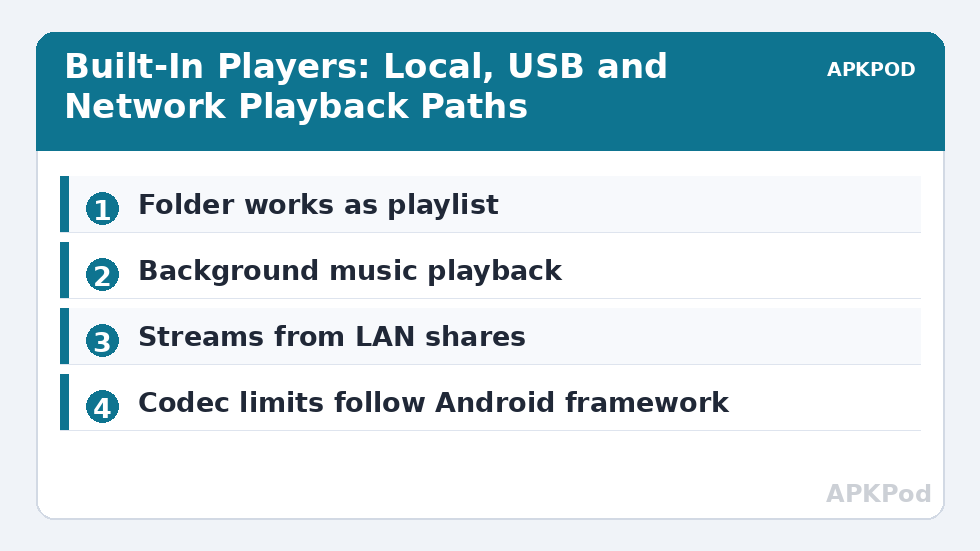
Format support is the first thing to understand. X-plore’s players lean on Android’s media framework, so exotic containers or codecs — an MKV with an unusual audio track, say — may play video without sound or refuse entirely. That is a codec limitation, not a broken file. The fix is to route that file type to a dedicated player using the association method in our file extension association guide, while keeping X-plore’s players as the default for the common formats they handle instantly.
For music, organise before you listen. The player reads folders, so a library arranged as Artist/Album folders navigates beautifully, while one giant folder of 2,000 loose tracks navigates like a phone book. Ten minutes with the batch tools covered elsewhere in the Dual-Pane Tips section turns the built-in player from a preview tool into a respectable offline jukebox for SD-card libraries.
| Situation | Use X-plore player | Use a dedicated app |
|---|---|---|
| Checking a file on a network share | Yes — streams in place | Only if the codec fails |
| Daily music library listening | Works for folder-based libraries | Better for tags, mixes and casts |
| MKV with multiple audio tracks | May miss tracks | Yes — fuller codec support |
| Voice memos and recordings | Ideal — instant preview | Unnecessary |
| Slideshow of photos with music | Image viewer plus player works | Better for polished shows |
Playback from Network and USB Locations, Honestly Assessed
Streaming from a LAN share is the built-in video player’s party trick, and it comes with physics attached. A high-bitrate 4K file that plays flawlessly from internal storage may stutter from a share — not because the player is weak, but because the Wi-Fi link, the router’s mood and the share protocol all tax the stream. The diagnosis is simple: copy a minute’s worth of the file locally and play that. If the local copy is smooth, the file and player are innocent and the network is your culprit; drop to a lower-bitrate copy for network viewing or wire the route better. If the local copy stutters identically, it is the codec or the bitrate exceeding the phone’s decoder, and no network improvement will save it.
USB drives sit in the comfortable middle: fast enough for any sane bitrate, direct enough to skip network drama. A drive of films plugged into a tablet, browsed in one pane and played in the built-in player, is a complete travel cinema with zero copying — the exact scenario these players were born for.
Lyrics, Subtitles and the Edges of Simple Players
Simple players have simple limits, and knowing them prevents misdirected frustration. External subtitle files are handled inconsistently across simple players generally: if your viewing depends on .srt files, multiple audio tracks or chapter navigation, that dependence itself is the signal to route video to a dedicated player permanently and let X-plore’s player reign over the quick-preview kingdom instead. Similarly, the music player is a folder player, not a tag librarian: it will not build you a genre index or a smart playlist, and asking it to is how good tools get unfair reviews.
Used inside their design envelope — preview everything, play most things, specialise in nothing — the built-in players remove more friction from a file manager’s day than any headline feature. They are the reason a tap on a file in X-plore so often ends the task instead of starting a tour of other apps.
One small habit improves every session with them: keep the screen awake during long network previews. Android’s sleep timers do not care that a stream is mid-buffer, and a phone that naps during a film check will leave you blaming the share for the player’s silence. A longer screen timeout during organising sessions is a fair trade for a workflow that never interrupts itself. And when a preview reveals a file is a keeper, act on the verdict immediately — move it to its real folder while the impression is fresh, rather than trusting yourself to remember which of forty similar files was the good one.
Bottleneck:
Tip:
All figures are estimates under good local conditions — strong signal, no competing traffic, both devices on the same network. Real speeds drop with distance, walls, channel congestion and slow storage on either device. Protocol options (SMB, FTP, SFTP) assume a 5 GHz-class Wi-Fi link.
Images Belong in This Conversation Too
The built-in image viewer completes the trio: it opens photos full-screen, swipes through a folder, and zooms with a pinch. When you are verifying which images an archive contains or checking screenshots inside a backup, opening them without leaving X-plore keeps you in flow. Our separate guide on viewing PDFs and images in the dual pane covers that viewer in depth.
The honest summary: X-plore’s players are preview instruments with real playback stamina. Reach for them when files live in odd places, when you are mid-organisation, or when a dedicated app would need the file copied and indexed first. Reach past them when codecs get exotic or listening becomes the main event. Knowing which situation you are in is the entire skill.
Frequently Asked Questions
Does X-plore have its own music and video players?
Yes. X-plore includes a built-in music player with background playback and a built-in video player. Both play files from local storage, USB drives and network locations in place.
Why does a video play without sound in X-plore?
The file’s audio codec is probably outside what Android’s media framework supports. The file is not broken; route that format to a dedicated player app with broader codec support.
Can X-plore play music from an SD card folder as a playlist?
Yes. Open a track inside a folder and the player can continue through the folder’s tracks, so a library organised in Artist and Album folders works as a simple playlist system.
Will X-plore stream video from my PC’s shared folder?
Yes, if the share is added as a LAN location. The video player streams from the share without copying the file to your phone first.
How do I make another app the default player for one format?
Use the Open as option for a one-off choice, and clear or set defaults through Android’s app settings for a permanent change, as covered in our file association guide.