

A camera folder with 400 files named IMG_0001 through IMG_0400 tells you nothing. A download folder full of “document (1).pdf”, “document (2).pdf” tells you less. Learning to batch rename files folders xplore handles in one pass is the difference between a storage system and a junk drawer: select everything, apply a naming rule once, and walk away with files that sort themselves and explain themselves.
X-plore’s renaming works on a multi-selection. Checkmark the files, open the menu, and the Rename option applies your pattern to the whole set, numbering sequentially where names would collide. The craft is not in finding the button; it is in designing names worth having.
Batch Rename Files Folders Xplore Workflow, From Selection to Result
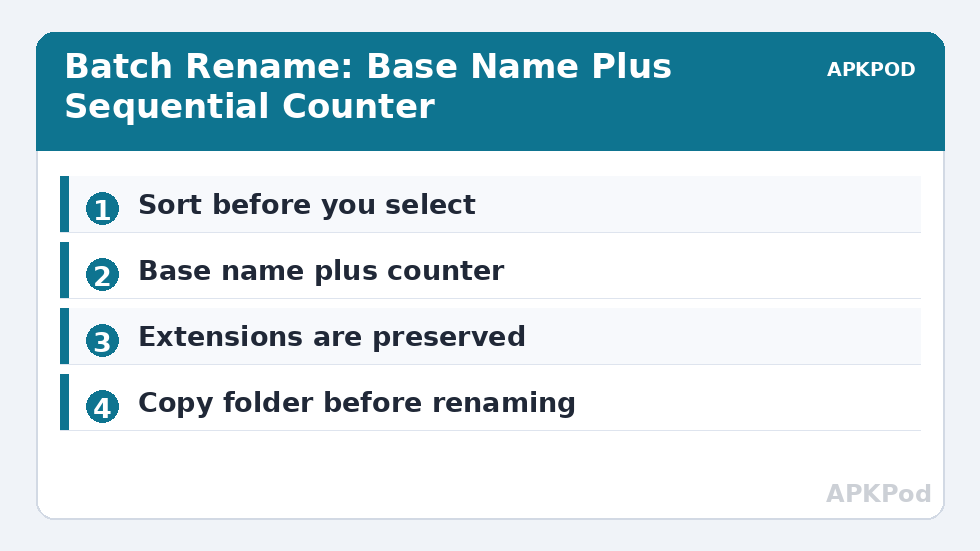
Start with selection discipline. Work inside one folder at a time, and sort the folder by date before selecting, because the sequence numbers X-plore assigns follow the current sort order. If your photos are sorted by name but shot over three days, the numbering will scramble the chronology. Sort by the field that represents the real-world order — usually modified date for camera files — then select all.
The rename dialog lets you build a new base name and appends a counter so each file stays unique: a trip to the mountains becomes hunza-trip-001.jpg through hunza-trip-087.jpg. Folder renaming in bulk follows the same pattern and is criminally underused for organising project directories on a NAS from your phone.
Extensions are preserved. X-plore renames the name portion and keeps .jpg as .jpg, which removes the classic desktop disaster of renaming a photo into an unopenable mystery file. If you genuinely need to change extensions — turning a set of .txt logs into .log, say — do it as a deliberate second pass on a small selection, and test one file first.
Designing Names That Still Make Sense Next Year
A good batch name has three parts: what, when or where, and a sequence. invoice-2026-03-014.pdf sorts by year, then month, then arrival order, and stays meaningful in any file manager on any device. Avoid spaces if the files will ever meet a command line or a picky web upload; hyphens and underscores survive everywhere. Avoid special characters entirely — slashes and colons are illegal in filenames, and Android will either refuse or quietly mangle them.
| Naming pattern | Example result | Best for |
|---|---|---|
| place + counter | skardu-trip-001.jpg | Photo sets from one event |
| type + date + counter | invoice-2026-03-014.pdf | Documents and receipts |
| project + version | site-backup-v12.zip | Backups and archives |
| artist − track kept | (unchanged, fix numbering only) | Music libraries |
Do a dry run mentally before confirming. Read the first, middle and last resulting names in your head. Most renaming regrets come from patterns that read fine for file 003 and terribly for file 210. If the folder matters, copy it into the other pane first using the dual-pane workflow — a renamed backup you delete later costs nothing, while an unrecoverable original naming scheme costs an evening.
Renaming Music, Photos and Documents: Three Different Games
Photos reward renaming most because cameras are the worst filers in the world: every phone you have owned starts again at IMG_0001, guaranteeing collisions when collections merge. A rename pass on import — device, date, counter — makes collisions structurally impossible and turns three phones’ libraries into one continuous, sortable river. Do it at import time, while the set is small and the memory of the day is fresh, not in a heroic annual session against 9,000 files.
Music is the opposite game: leave the filenames nearly alone. Players navigate by embedded tags — artist, album, track number — and a filename is merely a container. Rename only to repair genuine damage: files whose names are pure gibberish from a bad rip, or numbering that fights the album order. The restraint is the skill; a music library “organised” by filename alone and stripped of good tags is worse than one with ugly names and perfect tags.
Documents sit between the two. Contracts, invoices and statements arrive with sender-chosen names that serve the sender. Your rename pass translates them into your system — type, date, counter — and the payoff is retrieval speed forever. Ten seconds per document at filing time, or ten minutes per document at tax time: renaming is buying the former to avoid the latter.
Recovery When a Rename Goes Wrong
Even careful renamers eventually confirm a pattern they immediately regret. Recovery depends on one saving grace: renaming changes names, not contents, and the files are all still present. If the pattern was systematic, a second systematic rename can usually invert it — strip a prefix, restore a numbering. If it was chaotic, sort the folder by date and size, which renaming does not disturb, and reconstruct identities from those untouched fields. And let the experience install the habit this guide started with: on any folder that matters, the other pane holds a copy made before the rename. Backups are cheaper than regret at every scale of computing.
There is also a maintenance rhythm worth adopting for shared folders. When other people add files to a folder you curate — a family NAS, a team drive mirrored to your phone — their naming will drift from your scheme within a week. A monthly five-minute pass with X-plore, selecting the newcomers and applying the house pattern, keeps one system instead of two slowly diverging ones. Consistency is not a property you install; it is a chore you schedule.
Keep a tiny text note in the folder itself — naming-scheme.txt — describing the pattern in one line. When future you, or anyone inheriting the folder, wonders why files look the way they do, the answer is inside the system it describes.
One more pattern deserves a permanent place in your repertoire: the date-prefixed snapshot. When a folder holds versions of one evolving thing — a document, a design, a spreadsheet model — renaming each settled version with its completion date at the front (2026-03-14-budget-final.xlsx) makes the folder sort into its own timeline, with the newest always at one predictable end. It is the cheapest version control ever devised, it works in every file manager on every platform, and it ends the archaeology of “final”, “final2” and “final-REAL” forever. Where a file will be revised, date it; where it will merely accumulate, number it; those two rules carry a surprising share of all renaming wisdom.
Bottleneck:
Tip:
All figures are estimates under good local conditions — strong signal, no competing traffic, both devices on the same network. Real speeds drop with distance, walls, channel congestion and slow storage on either device. Protocol options (SMB, FTP, SFTP) assume a 5 GHz-class Wi-Fi link.
Renaming as Part of a Bigger System
Batch renaming earns its keep when combined with search. Once files follow a scheme, the criteria in our search by size, extension and date guide become surgical: every invoice from March is one pattern away. Renaming downloads as they land — weekly, five minutes, one folder — keeps the system alive. Renaming is also the moment to spot duplicates: two files that want the same target name are often the same photo saved twice.
One warning about media apps. Renaming music files does not break playback, because players read embedded tags, but renaming files inside app-managed folders (WhatsApp media, game data) can confuse the owning app. Batch-rename files you own in folders you control; leave app internals alone. For more file-wrangling technique, the Dual-Pane Tips collection covers the companion skills.
Frequently Asked Questions
How do I rename many files at once in X-plore?
Checkmark the files you want, open the menu and choose Rename. Enter a base name and X-plore applies it to the whole selection with sequential numbering so every file keeps a unique name.
Does batch renaming change file extensions?
No. X-plore renames the name portion and preserves extensions, so a .jpg stays a .jpg. Extension changes should be done deliberately on a small test selection first.
Why did my sequence numbers come out in the wrong order?
Numbering follows the folder’s current sort order. Sort by modified date before selecting if the real-world sequence is chronological, as with camera photos.
Can I batch rename folders as well as files?
Yes, folders can be included in a multi-selection and renamed with the same pattern-and-counter approach, which is useful for tidying project or backup directories.
Is it safe to rename files inside app folders like WhatsApp?
It is risky. Apps track their media by path, so renaming inside app-managed folders can make content vanish from the app. Batch rename only files in folders you control.