Start with the sentence nobody wants to read: if you need to recover forgotten vault password xplore help because the password is truly gone, the files encrypted inside that Vault are almost certainly gone with it. That is not a support failure, a missing feature, or a problem a clever trick can solve. It is the encryption working exactly as designed. A Vault that could be opened without its password would also be open to anyone who stole your phone.
This article will not offer you a recovery hack, because none exists, and any website or video promising one is wasting your time or trying to put something harmful on your device. Instead, it covers the real landscape: why recovery is impossible by design, the few legitimate paths that remain and what each one costs, how to check whether copies of your files exist anywhere else, and how to set things up so this never happens again.
Why There Is No Backdoor — and Why That Protects You
The X-plore Vault encrypts your files using your password as the basis for the encryption key. The app does not store your password itself, and there is no master key held by the developer, no reset email, and no support desk that can unlock the contents. When you type the password, the app derives the key and decrypts. When the password is wrong, the maths simply does not work — the data stays scrambled.
Consider the alternative. If a forgotten password could be bypassed with a security question, a code, or a support request, then a thief, an abusive partner, or anyone with brief access to your accounts could use the same route. The entire value of the Vault — described in the guide to the X-plore Vault for private photos — rests on there being exactly one way in, and that way being the password only you know.
| Claim you may see online | Reality |
|---|---|
| “A recovery tool can unlock any Vault” | No legitimate tool can defeat proper encryption without the password. Downloads promising this are commonly scams or malware. |
| “Contact the developer to reset it” | The developer does not have your password or a copy of your key, and cannot decrypt your files. |
| “Try a hidden default password” | There is no default or master password. The Vault opens only with the password set for it. |
| “Brute-force apps will crack it quickly” | Only true for very short, simple passwords — and running unknown cracking tools on your device is a security risk in itself. |
Recover Forgotten Vault Password Xplore: The Real Options
Work through these in order. None of them is magic, but together they cover every legitimate possibility.
1. Exhaust your genuine memory first
Passwords are often mis-remembered rather than forgotten: a capital letter in a different place, an older password you rotated away from, a phrase with or without spaces, a PIN pattern you used at the time you set the Vault up. Try your real candidates calmly and systematically, and write down which you have tried so you do not loop. If you use a password manager anywhere — a browser, a Google account, a dedicated app — search it. People save passwords in more places than they remember.
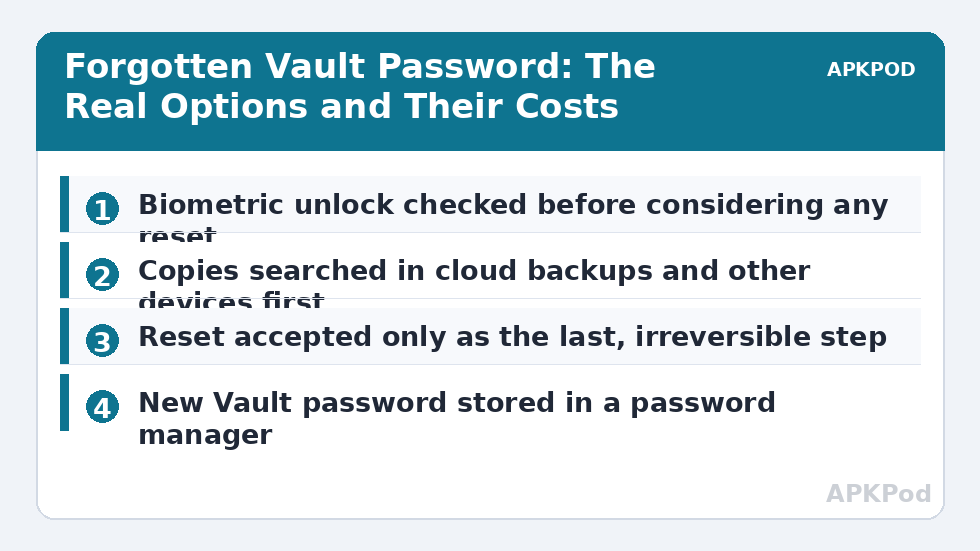
Also check whether you enabled biometric unlock for the Vault and whether it still works. If fingerprint or face unlock opens the Vault, you are back in — and your first job, before anything else, is to copy the contents somewhere safe and then reset the password to one you have recorded properly. Biometrics are a convenience layer, not a substitute for knowing the password, because a phone change, a sensor problem, or an app reset can remove that route without warning.
Bottleneck:
Tip:
All figures are estimates under good local conditions — strong signal, no competing traffic, both devices on the same network. Real speeds drop with distance, walls, channel congestion and slow storage on either device. Protocol options (SMB, FTP, SFTP) assume a 5 GHz-class Wi-Fi link.
2. Look for copies outside the Vault
The Vault encrypts copies of files — but many files lived somewhere else first. Work through the places originals commonly survive:
- Cloud backups. Photos may exist in Google Photos or another backup you enabled before moving them into the Vault. Documents may be in Drive, Dropbox, or an email thread.
- The sender or the source. Files sent to you can often be re-sent. Scans and downloads can often be repeated.
- Other devices. A laptop, an old phone, a memory card, or a PC folder you once copied the files to.
- App-specific copies. Messaging apps keep their own media folders; editors keep exports. A photo edited before vaulting may exist in the editor’s output folder, unencrypted.
Be honest with yourself during this search about what is truly irreplaceable. In many cases the Vault held copies, and the loss shrinks from “everything” to “a few files” once you inventory the copies. Files that exist nowhere else and cannot be recreated are the real cost of a forgotten password, and no procedure in this article changes that.
3. Accept the reset — and understand its price
If the contents cannot be recovered and you still need a working Vault, the remaining path is to start over: clearing or recreating the Vault where the app offers that route. Understand the price before you touch it — resetting the password or Vault in this situation does not preserve the encrypted contents. The old files remain locked to the forgotten password and are lost; a reset gives you an empty, usable Vault, not your data back.
Before resetting, pause. A reset is irreversible, while waiting is not. If there is any chance the password will come back to you — people genuinely do remember passwords days later, often when they stop straining — leave the Vault untouched for a while and keep a written list of attempts. Only reset when you have accepted the loss or recovered the contents by another route. This category’s wider cloud security guidance repeats the same principle everywhere: irreversible steps come last, never first.
Setting Up So This Never Happens Again
Prevention is unglamorous and completely effective. Do these four things when you create your next Vault, ideally in the same sitting:
- Store the password in a password manager. This is the single change that matters most. A manager exists precisely so that one strong password does not depend on your memory. The setup is covered step by step in the guide to configuring master password protection in X-plore.
- Use a passphrase you can type but others cannot guess — several unrelated words beats a short tangle of symbols you will forget by next month.
- Keep an unencrypted backup of the truly irreplaceable files somewhere you control — an encrypted archive on a computer, a drive stored at home — with its password also in the manager. Encryption without a backup strategy is a single point of failure, and the failure is you forgetting.
- Set a sensible auto-lock and keep biometrics on as a convenience, not a crutch. The guide to configuring the auto-lock timeout for the X-plore Vault helps balance convenience against exposure — but always assume biometrics may stop working and the password is your real key.
None of this softens the present loss, and this article will not pretend otherwise. What it does is make the loss a one-time event. A forgotten password is the most common way ordinary people lose encrypted data — not hackers, not broken ciphers, just memory. Build the system that assumes memory fails, and the Vault goes back to being what it should be: boring, reliable protection.
Frequently Asked Questions
Can X-plore support or the developer recover my Vault password?
No. Your password is not stored by the app or held by the developer, and there is no master key or reset service that can decrypt your files. Anyone who could recover it for you could also recover it for a thief, which is why the option does not exist.
Will resetting the Vault password give me my files back?
No. Where a reset or recreate path is offered, it gives you a fresh, empty Vault. The existing contents stay encrypted under the forgotten password and are lost. Treat resetting as the last step, after you have exhausted your memory, biometrics, and the search for copies elsewhere.
Fingerprint unlock still opens my Vault. What should I do?
Act immediately while that route works: copy the contents out to a safe location, then set a new Vault password and store it in a password manager. Biometric access can disappear with a device change or app reset, so do not rely on it continuing.
Are online Vault password recovery tools safe to try?
No. Proper encryption cannot be bypassed by a downloaded tool, and programs or sites promising to unlock encrypted vaults are a common vehicle for scams and malware. The only exception is guessing your own genuine password candidates — which you can do yourself, in the app, for free.
How do I make sure I never lose Vault files again?
Store the Vault password in a password manager, use a memorable passphrase rather than a short complex string, and keep a backup of irreplaceable files outside the Vault under your control. Forgetting is the main threat to encrypted data, so design around it.